A space to teach, learn and track progress.A space to teach, learn and track progress.
We turn your organization’s training needs into a learning environment with structure, identity and clear paths.
A platform that fits your reality
Your knowledge organized into a learning experience.Your knowledge organized into a learning experience.
The project starts with a conversation with those who teach, organize and learn. We understand the content, the audiences and the routine to define how courses and access will be structured.
Internal training, extension courses, continuing education and course sales can share a structure planned for different audiences and access levels. We implement the environment, configure the features and train your team to manage courses, materials and participants.
Organization of content and learning paths
Profiles and permissions for students, instructors and managers
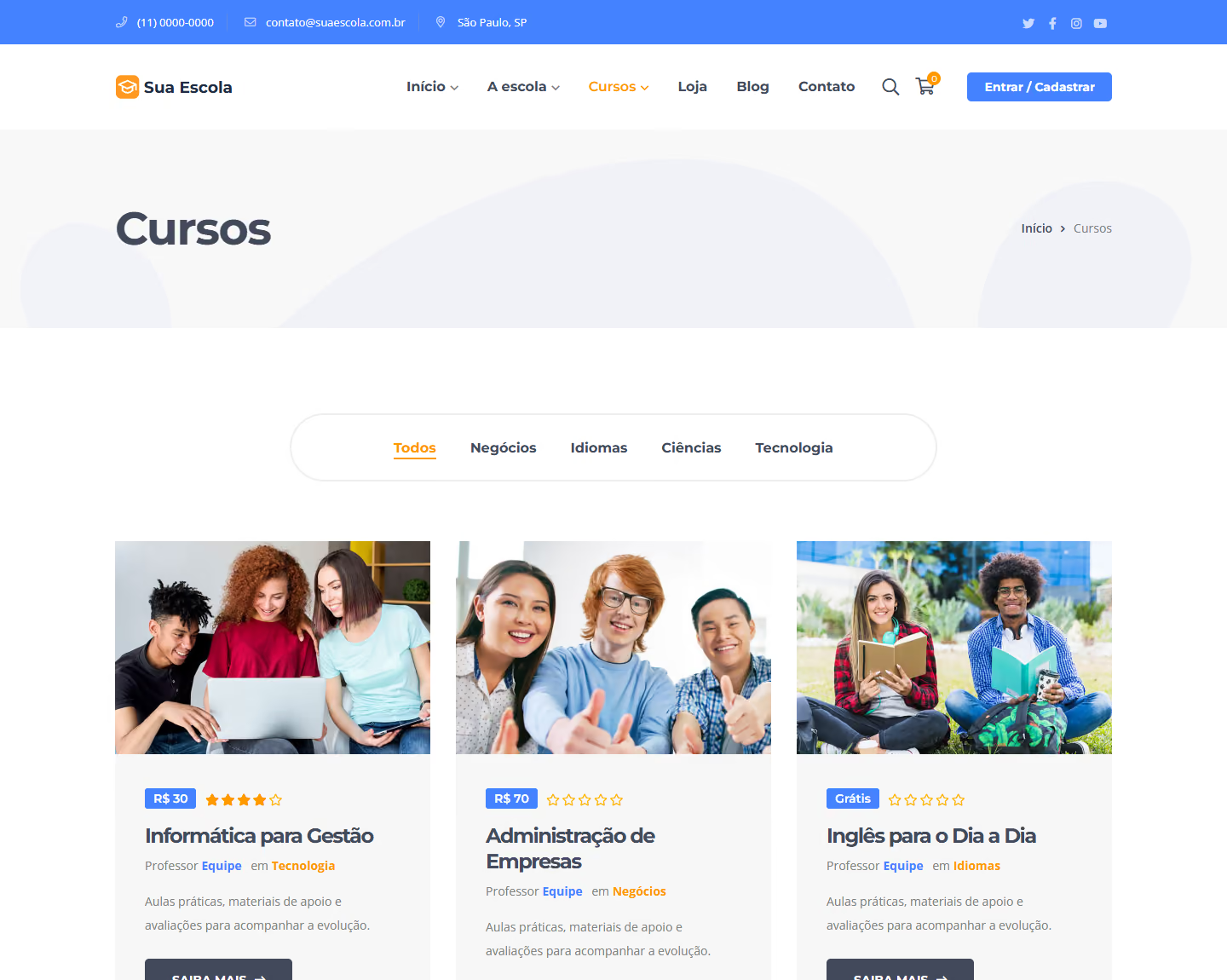
Course catalogVisual example with the GW Learning identity.
The foundation of GW Learning
An online school ready to welcome your students.
GW Learning is built on Edukul, a WordPress theme for schools and online courses. On top of this foundation, we configure the learning features and your project’s identity.
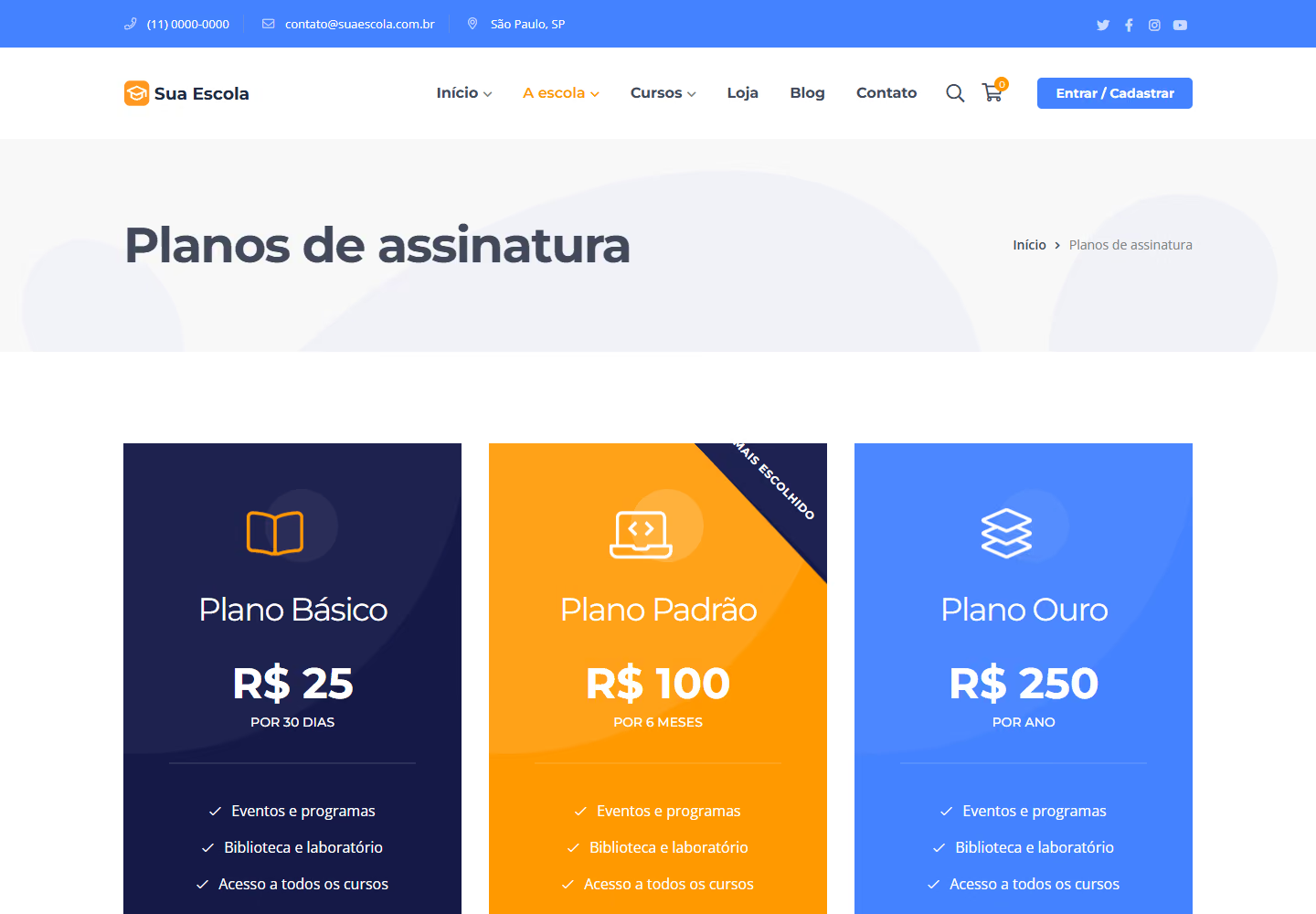
Screens from the Edukul theme demo (ninzio.com/edukul), with the logo replaced by "Your School" and the text translated into Portuguese. Your portal gets your brand, your courses and the features defined in the project.
A foundation for being found. An experience designed for mobile.A foundation for being found. An experience designed for mobile.
Search-ready structure and responsive navigation are part of the planning, development and delivery of your project.
Structured SEO for public pages
We prepare the SEO for the institution’s public pages, the catalog and the course presentations. We organize the information to help people discover your educational offering in search.
Organized pages, titles, descriptions and URLs
Internal links, sitemap and indexing rules
Images and structured data relevant to the content
Responsive across the entire journey
The learning journey also needs to work on mobile. We plan the catalog, enrollment, lesson navigation and activities with different screens and material formats in mind.
Text, menus and buttons adapted to every screen
From sign-up to accessing lessons on mobile
Loading and forms checked on different screens
Lessons, student data and internal training follow access rules. Search optimization applies to the pages that will be public.
Learning in different settingsLearning in different settings
Companies
Train employees, partners and teams with new-hire onboarding, product training and procedures. The same strategy can include a course school for external audiences, with separate access.
Schools
Bring together support materials, activities, supplementary courses and teacher training. Organize content and monitoring so students and staff find the next steps in learning.
Colleges and universities
Structure extension programs, continuing education, faculty training and supplementary education. Combine courses, teachers, assessments and participant tracking in an environment with the institution’s identity.
Your students understand the course before they start.Your students understand the course before they start.
Present the syllabus, lessons, instructors and access terms on an organized page. Visitors can understand what they will learn and find the next step to enroll.
The identity, content and enrollment format are customized for your company or institution.
Course presentationVisual example with the GW Learning identity.
Much more than just offering video lessons.Much more than just offering video lessons.
Combine content, live sessions and practice in an organized journey. We configure the features for your teaching approach, with your institution’s identity.
Courses, modules and materials
Organize lessons, videos, texts and files in a clear sequence. Participants find the course content and continue their learning right in the environment.
Live classes and sessions
Combine self-paced study with scheduled sessions. We integrate classes via Zoom or Google Meet links, with access through the course and guidance for participants.
Interactive content with H5P
Add videos with questions, presentations, matching exercises and drag-and-drop activities. Turn content consumption into active participation.
Assessments and question banks
Create quizzes with different question types, attempts and passing criteria. Question banks and random selection help vary assessments.
Assignments and submissions
Set assignments with deadlines, instructions and file uploads. Organize grading and submission tracking within the course experience.
Release by date or progress
Plan when each stage becomes available: on a date, after an enrollment period or after completing previous activities. The content follows the pace you set.
Learners need to be part of the experience.Learners need to be part of the experience.
A lesson can present an idea, propose an activity and check understanding along the same path. We plan this combination with your team so participants always have a clear next step.
With H5P, interactive content can be added to lessons and assessments. We can also work on recognition and gamification, with rules suited to the training program.
When participants meet the course criteria, they receive a certificate with the institution’s identity and the information configured for that program.
Online classroomVisual example with the GW Learning identity.
Learning management
More clarity for those who teach and monitor.More clarity for those who teach and monitor.
Structure the work of teachers, instructors and managers. Enrollments, results and communication stay connected to each participant’s journey.
Certificates with your brand
Customize the completion certificate with name, course and institution details. We define the issuing criteria and can include authenticity verification.
Grades, progress and reports
Track progress, assessments and completion status. Course reports and data export support the work of instructors and management.
Enrollments, classes and permissions
Organize participants and access according to the audience. We plan restricted environments, registrations and responsibilities for students, instructors and administrators.
Multiple instructors on the same course
Bring experts together to prepare and run a course. Access is defined so each professional works on the content they are responsible for.
Announcements and community
Plan notices, notifications and discussion spaces between participants and instructors. Communication helps keep guidance close to the activities.
Content in more than one language
Prepare navigation and course offerings for audiences in different languages. The structure, translations and materials for each version are defined in the project.
Management dashboardVisual example with the GW Learning identity. Illustrative data.
Reports to guide management
Know who has progressed and who needs support.Know who has progressed and who needs support.
Enrollment doesn’t tell the whole story. Progress, grades and completion help teachers and managers understand participation and identify where follow-up is needed.
Overview of participants and results by course
Grades and completion criteria organized
Filters and export for the team’s routine
Defined access for those who track each program
We define which information matters for your operation and configure the available reports. This gives the team a clearer basis to guide students and plan next steps.
Your knowledge can also open new lines of business.Your knowledge can also open new lines of business.
A company can train its team and sell courses to other audiences. An institution can combine internal training, extension and continuing education, with access rules for each offering.
01
Internal portal
Training for employees, partners and teams.
02
Course school
Open enrollment, paid courses and subscriptions.
03
Combined operation
Internal training and external offerings with defined access.
Free or paid courses
Define which courses are open, restricted or sold individually. We organize how the offering is presented and the path from sign-up to access.
Subscriptions and access plans
Create plans to unlock sets of courses by access level. Recurrence, participation period and renewal are configured according to the business model and payment methods.
Course bundles and collections
Group programs by topic, goal or audience. Collections make discovery easier; bundles can combine courses into a planned commercial offer.
Checkout and payment methods
Connect the purchase to course access. We configure the order flow, coupons and payments compatible with your operation, including Pix and cards when available from the chosen provider.
Instructor commissions
Plan teachers’ share of sales, with percentages and tracking of amounts. The payout routine and commercial responsibilities are aligned with your team.
Pages to promote and sell
Highlight the syllabus, instructors, goals and enrollment terms. Course pages, lesson previews and promotional content help prospects choose their program.
We talk about the audience, content, team and learning goals.
02
We design the structure
We organize the courses, profiles, access and stages of the experience.
03
We implement and test
We configure the portal and check materials, enrollments, activities and planned features.
04
We train and follow up
We guide the team to manage the environment and agree on support and evolution.
Frequently asked questions
Our clients’ most common questionsOur clients’ most common questions
Have another question? Let us know.
What platform is the portal built on?
On WordPress, with the Edukul theme, made for schools and online courses. On top of it we configure your project’s features, such as assessments, certificates, H5P and live classes, when they are part of the proposal.
Can the portal be used for internal training?
Yes. We can set up a private environment for employees or specific groups, with access and content organized according to the company.
Do you work with schools and universities?
Yes. The project is planned around the institution’s routine and can support supplementary courses, extension programs, staff training and other teaching and training needs.
Do I need all the content ready before starting?
We can start by planning the structure and the materials needed. Content production, course organization and material uploads are defined in the proposal.
Can I offer paid or subscription courses?
Yes, when that model is part of the project. We assess registrations, payments, access rules and the features of the chosen platform before implementation.
Can I track participants and issue certificates?
The project can include progress tracking, assessments, reports and completion certificates. We define the criteria and the information the team needs to monitor.
Do you train the team that will manage the portal?
Yes. We guide the planned routines, such as organizing courses, registering participants, publishing materials and monitoring classes. Support and maintenance are agreed in the proposal.
Can I train my team and sell courses to the public in the same project?
Yes. We plan audiences and access rules to combine internal training with open, paid or subscription courses. The catalog and permissions are organized so each offering reaches the right audience.
Can I combine recorded lessons and live sessions?
Yes. A course can bring together lessons and materials for self-paced study and scheduled sessions. We assess Zoom integration or the use of Google Meet links, considering accounts, limits and contracted features.
What can I do with H5P?
We can include videos with questions, interactive presentations, matching exercises and other activities. The formats and how grades or completion are recorded are chosen and tested according to the course goals.
What information can management track?
The environment can show enrollments, progress, grades and completion status by course and participant, with export of the available data. We define reports and access according to your team’s routine.
Does the platform replace the institution’s academic system?
The portal organizes the learning experience. Processes such as the registrar’s office, academic records, institutional finance or integration with other systems are assessed separately, based on need and compatibility.
Are all the features shown included in every project?
We select features based on your audience, teaching model and operation. The proposal details the configuration, integrations, licenses, external services, content production, hosting and support required.

 Your idea. Our next conversation.